OpenGraph.io
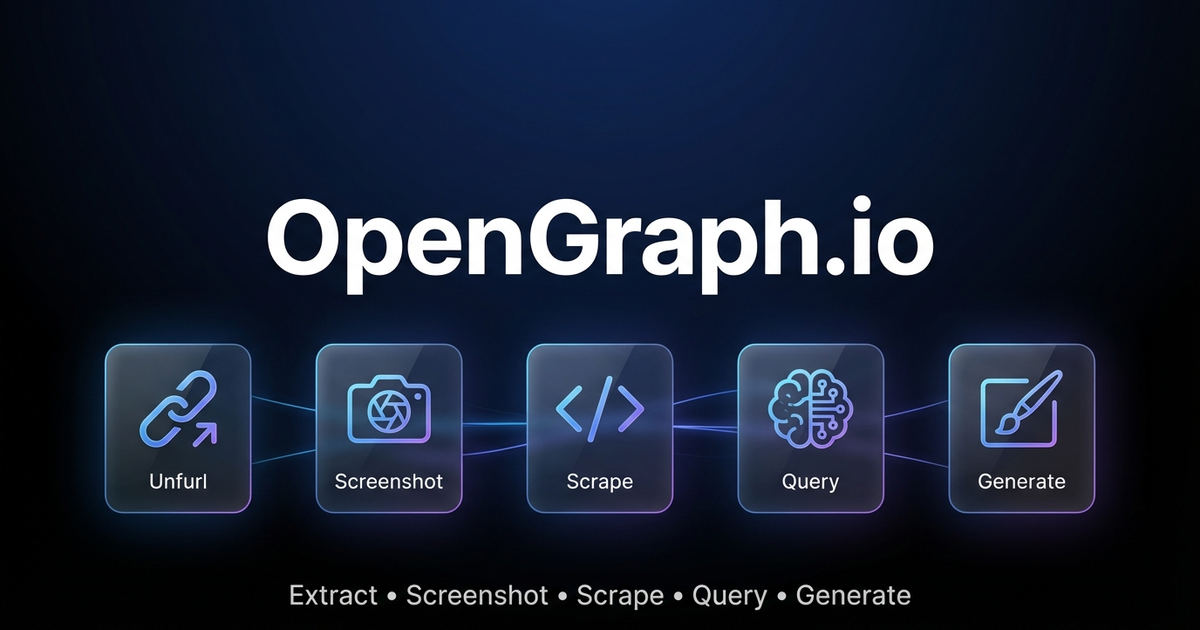
Extract web data, capture screenshots, and generate AI-powered images via OpenGraph.io APIs.
🤖 AI Agents: For complete parameter docs and patterns, also read references/for-ai-agents.md.
Quick Decision Guide
"I need data from a URL"
| Need | Endpoint |
|---|---|
| Meta tags / link preview data | GET /site/{url} |
| Raw HTML content | GET /scrape/{url} (add use_proxy=true if geo-blocked) |
| Specific elements (h1, h2, p) | GET /extract/{url}?html_elements=h1,h2,p |
| AI answer about the page | POST /query/{url} ⚠️ paid |
| Visual screenshot | GET /screenshot/{url} |
"I need to generate an image"
| Need | Settings |
|---|---|
| Technical diagram | kind: "diagram" — use diagramCode + diagramFormat for control |
| App icon/logo | kind: "icon" — set transparent: true |
| Social card (OG/Twitter) | kind: "social-card" — use aspectRatio: "og-image" |
| Basic QR code | kind: "qr-code" |
| Premium QR marketing card | kind: "illustration" — describe full design in prompt |
| General illustration | kind: "illustration" |
QR Code: Basic vs Premium
Basic (kind: "qr-code"): Just the functional QR code.
Premium (kind: "illustration"): Full marketing asset with QR embedded in designed composition (gradients, 3D elements, CTAs, device mockups). Example prompt:
"Premium marketing card with QR code for https://myapp.com, cosmic purple gradient
with floating 3D spheres, glowing accents, 'SCAN TO DOWNLOAD' call-to-action"
Diagram Tips
- Use
diagramCode+diagramFormatfor reliable syntax (bypasses AI generation) - Use
outputStyle: "standard"for structure-critical diagrams (premium may alter layout) - ❌ Don't mix syntax with description:
"graph LR A-->B make it pretty"will fail
Pricing & Requirements
| Feature | Free Tier | Paid Plans |
|---|---|---|
| Site/Unfurl | ✅ 100/month | Unlimited |
| Screenshot | ✅ 100/month | Unlimited |
| Scrape | ✅ 100/month | Unlimited |
| Extract | ✅ 100/month | Unlimited |
| Query (AI) | ❌ | ✅ |
| Image Generation | ✅ 4/month | Unlimited |
💡 Try image generation free! Get 4 premium image generations per month on the free plan — no credit card required.
Sign up at dashboard.opengraph.io
Quick Setup
- Sign up at dashboard.opengraph.io — free trial available
- Configure (choose one):
Option A: Clawdbot config (recommended)
// ~/.clawdbot/clawdbot.json
{
  skills: {
    entries: {
      "opengraph-io": {
        apiKey: "YOUR_APP_ID"
      }
    }
  }
}
Option B: Environment variable
export OPENGRAPH_APP_ID="YOUR_APP_ID"
Clawdbot Usage (REST API)
Use curl with the OPENGRAPH_APP_ID environment variable. Base URL: https://opengraph.io/api/1.1/
Extract OpenGraph Data (Site/Unfurl)
# Get OG tags from a URL
curl -s "https://opengraph.io/api/1.1/site/$(echo -n 'https://example.com' | jq -sRr @uri)?app_id=${OPENGRAPH_APP_ID}"
Response includes hybridGraph.title, hybridGraph.description, hybridGraph.image, etc.
Screenshot a Webpage
# Capture screenshot (dimensions: sm, md, lg, xl)
curl -s "https://opengraph.io/api/1.1/screenshot/$(echo -n 'https://example.com' | jq -sRr @uri)?app_id=${OPENGRAPH_APP_ID}&dimensions=lg"
Response: { "screenshotUrl": "https://..." }
Scrape HTML Content
# Fetch rendered HTML (with optional proxy)
curl -s "https://opengraph.io/api/1.1/scrape/$(echo -n 'https://example.com' | jq -sRr @uri)?app_id=${OPENGRAPH_APP_ID}&use_proxy=true"
Extract Specific Elements
# Pull h1, h2, p tags
curl -s "https://opengraph.io/api/1.1/extract/$(echo -n 'https://example.com' | jq -sRr @uri)?app_id=${OPENGRAPH_APP_ID}&html_elements=h1,h2,p"
Query (Ask AI About a Page)
curl -s -X POST "https://opengraph.io/api/1.1/query/$(echo -n 'https://example.com' | jq -sRr @uri)?app_id=${OPENGRAPH_APP_ID}" \
  -H "Content-Type: application/json" \
  -d '{"query": "What services does this company offer?"}'
Image Generation (REST API)
Base URL: https://opengraph.io/image-agent/
Step 1: Create a Session
SESSION=$(curl -s -X POST "https://opengraph.io/image-agent/sessions?app_id=${OPENGRAPH_APP_ID}" \
  -H "Content-Type: application/json" \
  -d '{"name": "my-session"}')
SESSION_ID=$(echo $SESSION | jq -r '.sessionId')
Step 2: Generate an Image
curl -s -X POST "https://opengraph.io/image-agent/sessions/${SESSION_ID}/generate?app_id=${OPENGRAPH_APP_ID}" \
  -H "Content-Type: application/json" \
  -d '{
    "prompt": "A beautiful QR code linking to https://example.com with modern gradient design",
    "kind": "qr-code",
    "aspectRatio": "square",
    "quality": "high"
  }'
Image kinds: illustration, diagram, icon, social-card, qr-code
Style presets: github-dark, vercel, stripe, neon-cyber, pastel, minimal-mono
Aspect ratios: square, og-image (1200×630), twitter-card, instagram-story, etc.
Step 3: Download the Asset
ASSET_ID="<from-generate-response>"
curl -s "https://opengraph.io/image-agent/assets/${ASSET_ID}/file?app_id=${OPENGRAPH_APP_ID}" -o output.png
Step 4: Iterate (Refine an Image)
curl -s -X POST "https://opengraph.io/image-agent/sessions/${SESSION_ID}/iterate?app_id=${OPENGRAPH_APP_ID}" \
  -H "Content-Type: application/json" \
  -d '{
    "assetId": "<previous-asset-id>",
    "prompt": "Change the background to blue"
  }'
Natural Language Examples
When users ask in natural language, translate to the appropriate API call:
| User says | API to use |
|---|---|
| "Get the OG tags from URL" | GET /site/{url} |
| "Screenshot this page" | GET /screenshot/{url} |
| "Scrape the HTML from URL" | GET /scrape/{url} |
| "What does this page say about X?" | POST /query/{url} |
| "Generate a QR code for URL" | POST /image-agent/sessions/{id}/generate with kind: "qr-code" |
| "Create a premium QR marketing card" | POST /image-agent/sessions/{id}/generate with kind: "illustration" + design in prompt |
| "Create a social card for my blog" | POST /image-agent/sessions/{id}/generate with kind: "social-card" |
| "Make an architecture diagram" | POST /image-agent/sessions/{id}/generate with kind: "diagram" |
QR Code Options
Basic QR Code (kind: "qr-code"): Generates just the functional QR code with minimal styling.
Premium QR Marketing Card (kind: "illustration"): Generates a complete marketing asset with the QR code embedded in a professionally designed composition - gradients, 3D elements, CTAs, device mockups, etc.
# Premium QR marketing card example
curl -s -X POST "https://opengraph.io/image-agent/sessions/${SESSION_ID}/generate?app_id=${OPENGRAPH_APP_ID}" \
  -H "Content-Type: application/json" \
  -d '{
    "prompt": "Premium marketing card with QR code for https://myapp.com, cosmic purple gradient background with floating 3D spheres, glowing accents, SCAN TO DOWNLOAD call-to-action",
    "kind": "illustration",
    "aspectRatio": "square",
    "outputStyle": "premium",
    "brandColors": ["#6B4CE6", "#9B6DFF"],
    "stylePreferences": "modern, cosmic, premium marketing, 3D elements"
  }'
MCP Integration (for Claude Desktop, Cursor, etc.)
For AI clients that support MCP, use the MCP server:
# Interactive installer
npx opengraph-io-mcp --client cursor --app-id YOUR_APP_ID

# Or configure manually:
{
  "mcpServers": {
    "opengraph": {
      "command": "npx",
      "args": ["-y", "opengraph-io-mcp"],
      "env": {
        "OPENGRAPH_APP_ID": "YOUR_APP_ID"
      }
    }
  }
}
See references/mcp-clients.md for client-specific setup.
More Details
- references/for-ai-agents.md — AI agent reference (tool schemas, decision trees, patterns)
- references/api-reference.md — Complete API documentation (all endpoints, parameters, response schemas)
- references/platform-support.md — Platform support guide (YouTube, Vimeo, TikTok, social media, e-commerce)
- references/troubleshooting.md — Troubleshooting guide (common errors, debugging tips)
- references/image-generation.md — Image presets, styles, templates
- references/mcp-clients.md — MCP client configurations